nu11signal
A cyberpunk car radio for Apple Music, in your terminal.
Your library playlists sit on a pseudo FM dial beside a now-playing panel, a volume readout, and data rain that plays the music. Search the Apple Music catalog, edit playlists, and love songs without leaving the terminal.
brew install --cask wahh-22/tap/nu11signal- macOS 14+
- Apple Music subscription
- MIT

Signal acquired
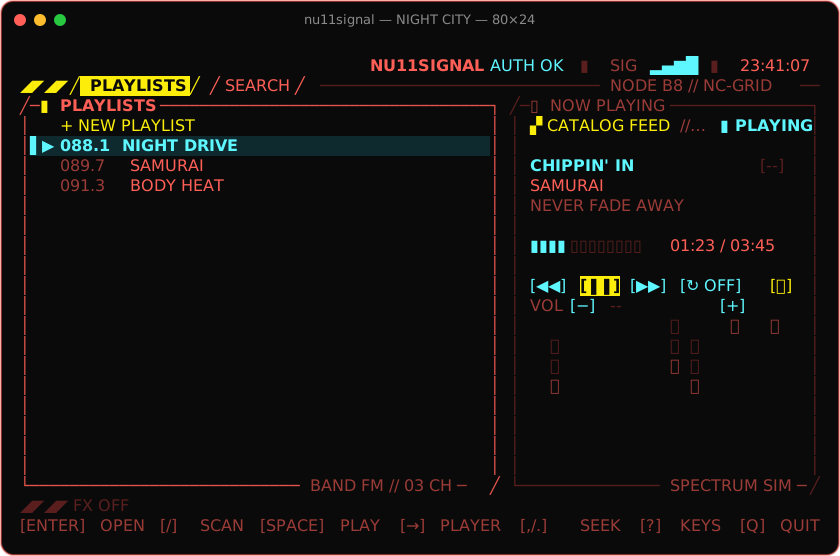
The radio, in 80×24
Playlists on the dial at the left, NOW PLAYING with bracketed transport controls and data rain at the right. These are renders of the real UI.
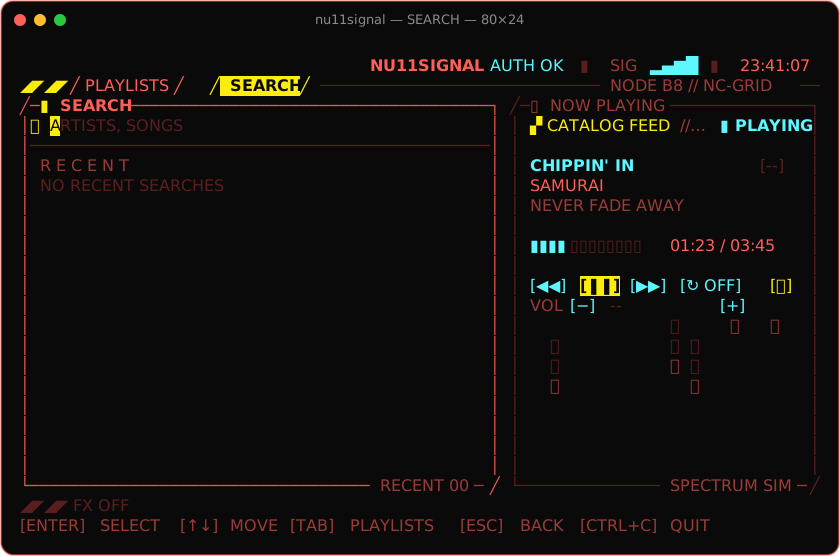
SEARCH — Live suggestions, recent searches, artists, albums, songs and playlists. 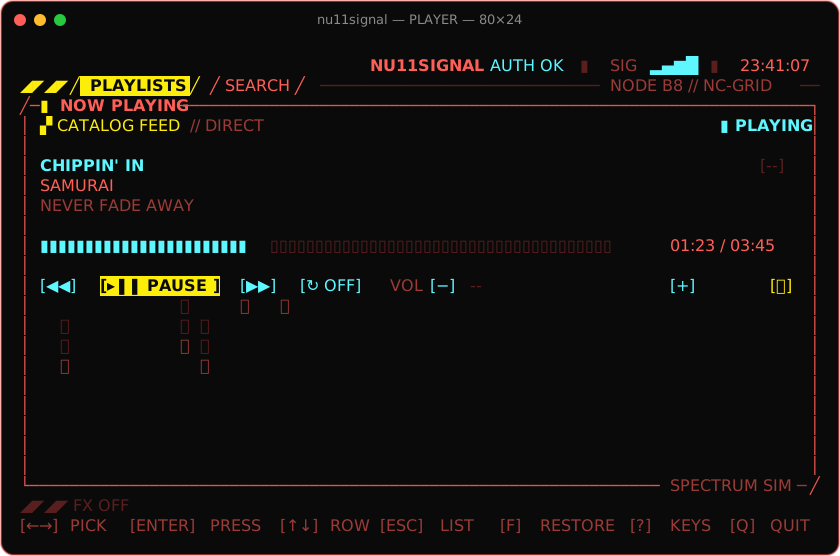
Expanded player — f expands NOW PLAYING to the full width, rain and all. 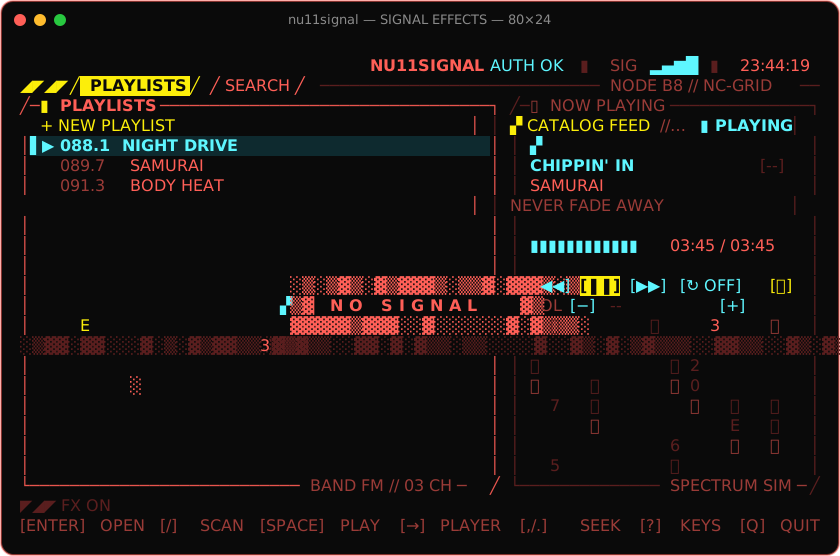
Signal effects — Torn rows, corrupted cells, static bars, and now and then NO SIGNAL. 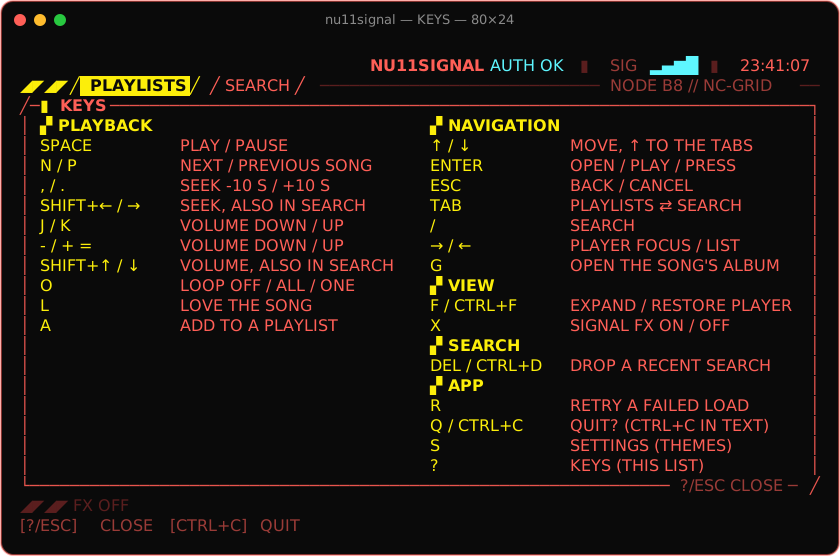
KEYS — ? opens every binding in one panel. 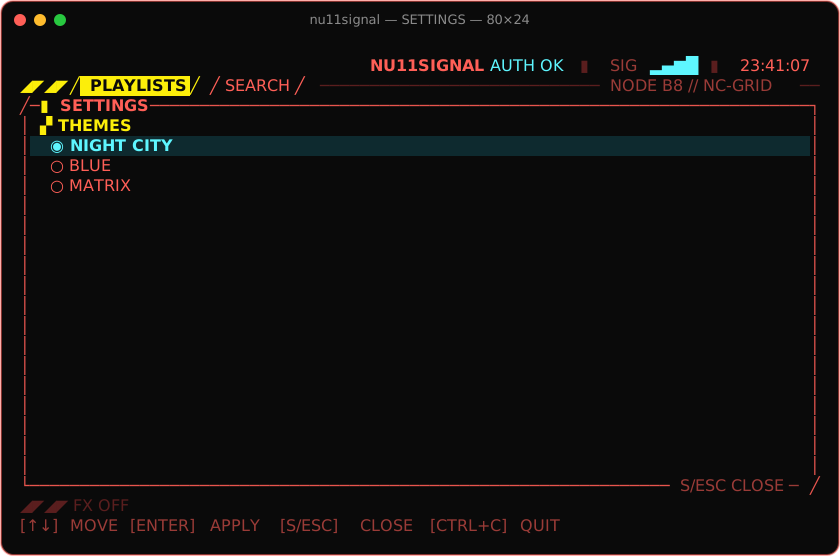
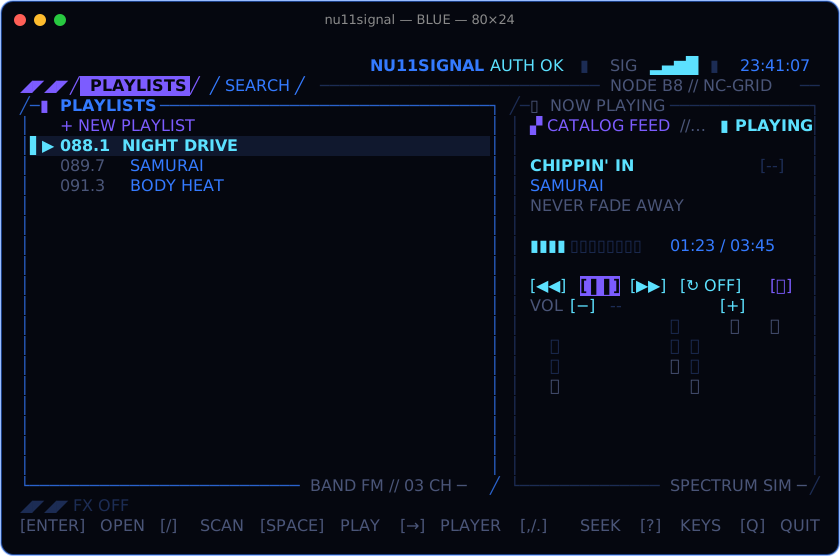
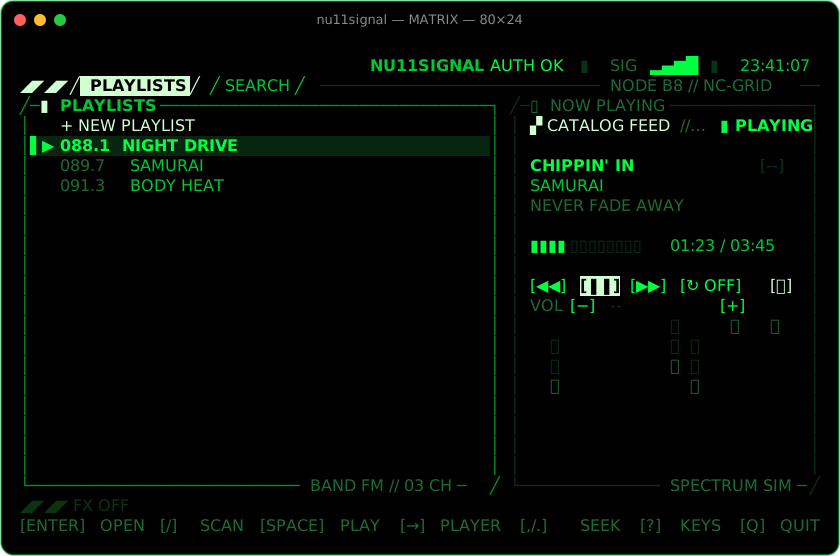
SETTINGS — s opens the themes: NIGHT CITY, BLUE or MATRIX; the choice is saved. 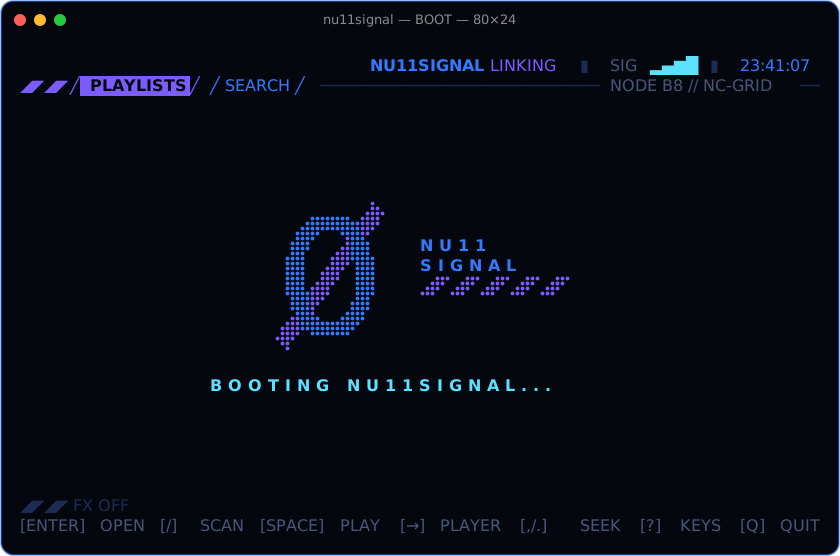
Boot splash — The app boots and shuts down over the null emblem.
Features
Everything on the dial
Apple Music, natively
Plays through MusicKit in a tiny signed, windowless Swift helper: no browser, no Electron, no Music app window, near 0% CPU at idle.
Library, playlists, search
Your playlists on a pseudo FM dial. Search the catalog with live suggestions and recent terms; open artists, albums, songs and playlists.
Favorites and playlist editing
Love a song with l, add it to a playlist with a, or create a new playlist on the spot, from any song row or the song playing.
Data rain that plays the music
Hex digits and half-width katakana fall under NOW PLAYING, driven by the real spectrum on macOS 15+: loud bands rain harder, bass hits send a wave, silence is dry.
Signal glitches and intros
Every so often the signal drops: torn rows, corrupted cells, static and NO SIGNAL. New content scrambles in. x toggles it; --calm starts without.
Bracket HUD, keys or mouse
Bracketed buttons for transport, loop, volume and expand. Every control answers to the keyboard and a click; the wheel scrolls the lists.
Three themes
NIGHT CITY (neon red, cyan and yellow), BLUE (electric blue and violet) or MATRIX (the greens of falling code). The whole UI recolors at once and the choice is saved.
KEYS overlay
Press ? for every binding in one panel, grouped by view. Quitting always asks first.
Its own volume
VOL is independent of the system volume, through a Core Audio process tap (macOS 14.2+), falling back to the system volume (SYS) when it cannot.
Boot and shutdown splash
The app boots and shuts down over the null emblem, with a signal line that scrambles in.
Designed in Kode Mono
The Homebrew cask installs Kode Mono, the font the UI is designed with. Any monospaced font works.
Signed and notarized
A signed, notarized build for Apple Silicon and Intel, one Homebrew command away. Open source under MIT.
Requirements
Before you tune in
- macOS 14 or later, Apple Silicon or Intel.
- An Apple Music subscription. The first launch asks for Apple Music access.
- A terminal of 80×24 or larger. Set its font to Kode Mono (installed by the cask) for the intended look.
- Optional: independent app volume needs macOS 14.2+; the live spectrum behind the rain needs macOS 15+.
macOS only. Not affiliated with Apple.
Install
# signed, notarized build via Homebrew
brew install --cask wahh-22/tap/nu11signal
nu11signal
No subscription handy?
Build from source and try the UI against a simulated player:
make demoRelease archives for a manual install are on GitHub Releases. See the documentation for building, usage and troubleshooting.
Cheatsheet
Keys
The everyday bindings. In the app, ? opens KEYS with every one; the usage guide has the full tables per view.
Playback
- space
- Play / pause
- n / p
- Next / previous track
- , / .
- Seek −10 s / +10 s
- k / j
- Volume up / down by 5%
- o
- Loop: OFF, ALL, ONE
Library
- l
- Love the song, or unlove it
- a
- Add the song to a playlist
- enter
- Open or play the selection
- ↑ / ↓
- Move the cursor
- →
- Focus the player
Navigate
- /
- Open SEARCH
- tab
- Between playlists and search
- esc
- Back one view
- f
- Expand the player, or restore it
App
- ?
- KEYS: every binding
- s
- SETTINGS: themes
- x
- Signal effects off / on
- q
- Quit, after asking
Keep it on air
Support the signal
nu11signal is free and open source.Donation links are coming soon. Until then, a star on GitHub or a bug report helps the signal just as much.